

Is Among Us cross platform? Yes, it is! Among Us, the popular online multiplayer game has gained a massive following due to its cross-platform compatibility. This means that players on PC, mobile, and console can play together, making it easier for friends to join in on the fun regardless of their preferred gaming device. In this comprehensive guide, we’ll explore how to play Among Us across various platforms and provide step-by-step instructions to make your gaming experience as smooth as possible.
[lwptoc numeration=”none”]
Among Us Cross-Platform Overview
Among Us is a cross-platform game that supports play between PC, mobile (Android and iOS), and console (Nintendo Switch, PlayStation, and Xbox) users. This feature allows players on different devices to join the same game by connecting to a common server.

How to Play Among Us on Different Platforms
PC and Mobile
Playing Among Us between PC and mobile devices is quite simple. All players need to have the game installed on their respective devices, and then follow these steps:
- Launch Among Us on all devices.
- One player should create a game by selecting “Online” and then “Create Game.”
- The player who created the game will receive a room code.
- Other players can join the game by selecting “Online” and then “Enter Code,” followed by inputting the room code.
PC and Console
For PC and console players to enjoy Among Us together, follow these steps:
- Ensure all players have the game installed on their devices.
- Launch Among Us on all devices.
- One player should create a game by selecting “Online” and then “Create Game.”
- The player who created the game will receive a room code.
- Other players can join the game by selecting “Online” and then “Enter Code,” followed by inputting the room code.
Mobile and Console
Mobile and console players can also play Among Us together by following these steps:
- Make sure all players have the game installed on their devices.
- Launch Among Us on all devices.
- One player should create a game by selecting “Online” and then “Create Game.”
- The player who created the game will receive a room code.
- Other players can join the game by selecting “Online” and then “Enter Code,” followed by inputting the room code.

Setting Up Cross-Platform Among Us Games
To set up a cross-platform Among Us game, follow these steps:
- Launch Among Us on all participating devices.
- Ensure all players are connected to the same server region (North America, Europe, or Asia). Players can change their server region by selecting the globe icon on the bottom right corner of the main menu screen.

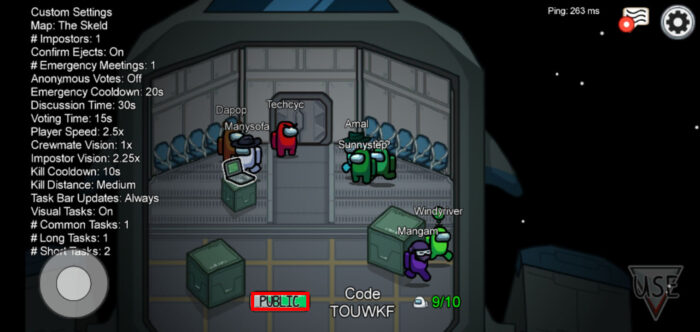
- One player should create a game by selecting “Online” and then “Create Game.” They can customize game settings such as the number of impostors, player speed, and voting time.
- The player who created the game will receive a room code.
- Other players can join the game by selecting “Online” and then “Enter Code,” followed by inputting the room code.
- Once all players have joined, the host can start the game by pressing “Start” in the game lobby.
Voice Chat Options for Cross-Platform Play
While Among Us does not have a built-in voice chat feature, players can use third-party applications like Discord, Zoom, or Skype to communicate during cross-platform play. Here’s how to set up voice chat using Discord as an example:
- Create a Discord account and download the Discord app on your device.
- Invite your friends to join Discord and add them as friends.
- Create a server or join an existing one, then invite your friends to the server.
- Join a voice channel within the server and have your friends do the same.
- Launch Among Us and start playing, using Discord for voice communication.

Common Issues and Solutions
Here are some common issues players may encounter during cross-platform play and their solutions:
- Issue: Unable to join a game using the room code.
Solution: Ensure that all players are connected to the same server region. Also, check if the room code has been entered correctly. - Issue: High latency or lag during gameplay.
Solution: Check your internet connection and try switching to a different server region if necessary. - Issue: Voice chat not working on third-party applications.
Solution: Check the audio settings in the voice chat application and ensure that the correct input and output devices are selected.
Frequently Asked Questions
Is Among Us cross-platform between PC and mobile devices?
Yes, Among Us is cross-platform between PC and mobile devices, allowing players on different devices to join the same game.
Is Among Us cross-platform between consoles and other platforms?
Yes, Among Us is cross-platform between consoles (Nintendo Switch, PlayStation, and Xbox) and other platforms (PC and mobile).
How do I set up a cross-platform Among Us game?
To set up a cross-platform Among Us game, ensure all players have the game installed on their devices and are connected to the same server region. One player should create a game, and others can join using the provided room code.
What are the voice chat options for cross-platform play in Among Us?
Among Us does not have a built-in voice chat feature, but players can use third-party applications like Discord, Zoom, or Skype for voice communication during cross-platform play.
Is Among Us cross-platform between Android and iOS?
Yes, Among Us is cross-platform between Android and iOS devices, allowing players on both platforms to play together.
