

Let’s be real, social media attention spans aren’t short; they’re essentially microscopic. You have three seconds or less to make a splash, and anything longer had better be genius or brutally concise.
That is why creators, marketers, and brands are looking for one fundamental tool to help create scroll-stopping content: Pippit’s video trimmer tool.
With Pippit’s futuristic trimming and editing capabilities, cutting your content down to the core message is not only easy, it’s powerful. A attractive intro, quicker hook, and zero wasted seconds mean you’re more likely to keep your viewers engaged.
Whether it’s a product highlight, a reaction video, or a tutorial, short-form content wins the race at the end. And with Pippit, you’re not just trimming a video, you’re transforming your message. Curious why it works? We’re going to break it down for you. But first, let’s get an understanding of why less is more.
Blink and they scroll
If you’re making for TikTok, YouTube Shorts, or Reels on Instagram, you’re not only competing with other creators, you’re competing with distractions. A viewer can swipe away quicker than you can complete your intro, which is why cutting off the fluff is essential.
- Your first 2–3 seconds are the most critical.
- Long intros or slow messages lead to drop-offs.
- Clarity, pace, and emotional impact are rewarded by viewers.
The brain loves quick hits
It’s also backed up by neuroscience. Quick, impactful videos release dopamine more quickly, and the experience becomes that much more enjoyable. Shortening your content down to just the right beat engages that reward loop that keeps them watching, liking, and sharing.
What makes a trimmed video better?
Clean cuts = clearer messaging
By editing out extraneous pauses, off-topic diversions, and redundant phrases, your core message comes through. Trimming is attention-concentrating—each frame needs to matter.
- You’re no longer rambling but razor-sharp.
- Your branded voice is more confident-sounding.
- Call-to-actions punch harder and quicker.
Fit the platform’s language
Every social platform has a pacing expectation of its own. TikTok adores quick cuts and percussive beats. Reels live in visual moments with definite payoff. Shorts require personality immediately. A cleanly trimmed video honors those rhythms, and viewers feel more comfortable.
More than cutting, it’s crafting
Build suspense with space – Ironically, trimming also allows you to use silence as a strategic tool. You can cut into just the right place for a pause, a glance, or a beat that makes your message stick. It is not so much about what you cut out—it’s about what you leave in.
Test multiple hooks – Trimming also unlocks A/B testing possibilities. You can cut up different versions of the same video, with a new opening or call-to-action on each one, and then test which one works best. It’s data-driven creativity at its best.
From text to hook in seconds with Pippit
Right before we dive into technical how-to, there’s something you should know: trimming is only half the process.
With technology such as Pippit’s text to video AI, you can create a whole concept, script, and visual for a video in minutes, and then go back in and fine-tune the finished product with trims that capture attention and boost engagement.
Here’s precisely how you can begin trimming smarter today:
Step 1: add your text or enter the product link
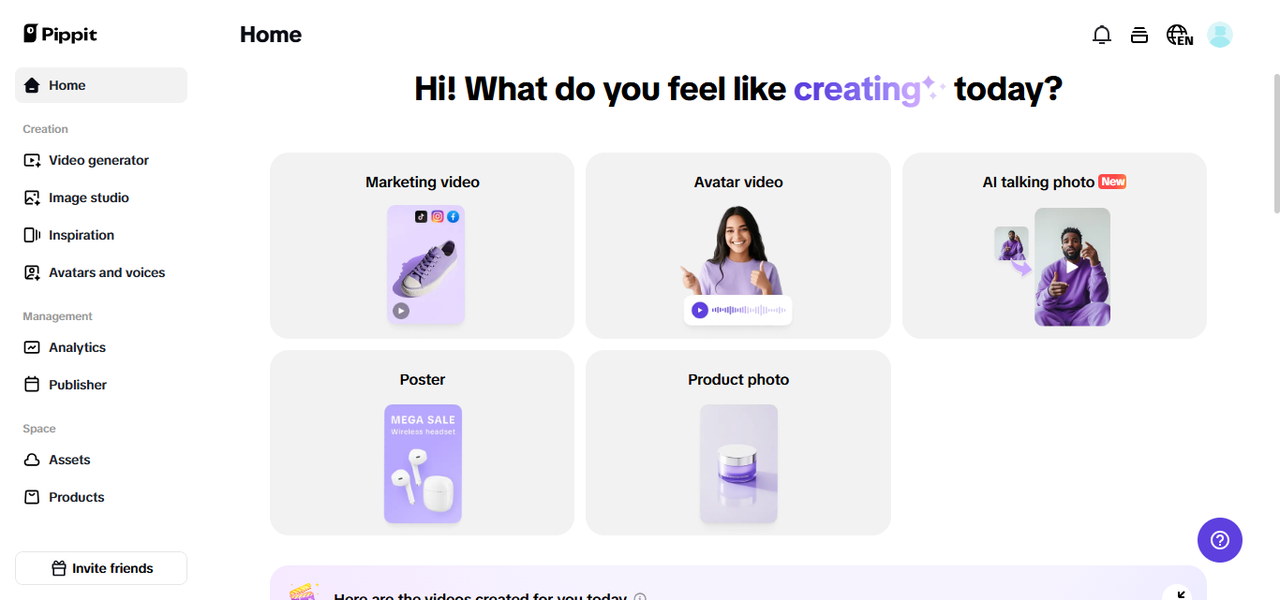
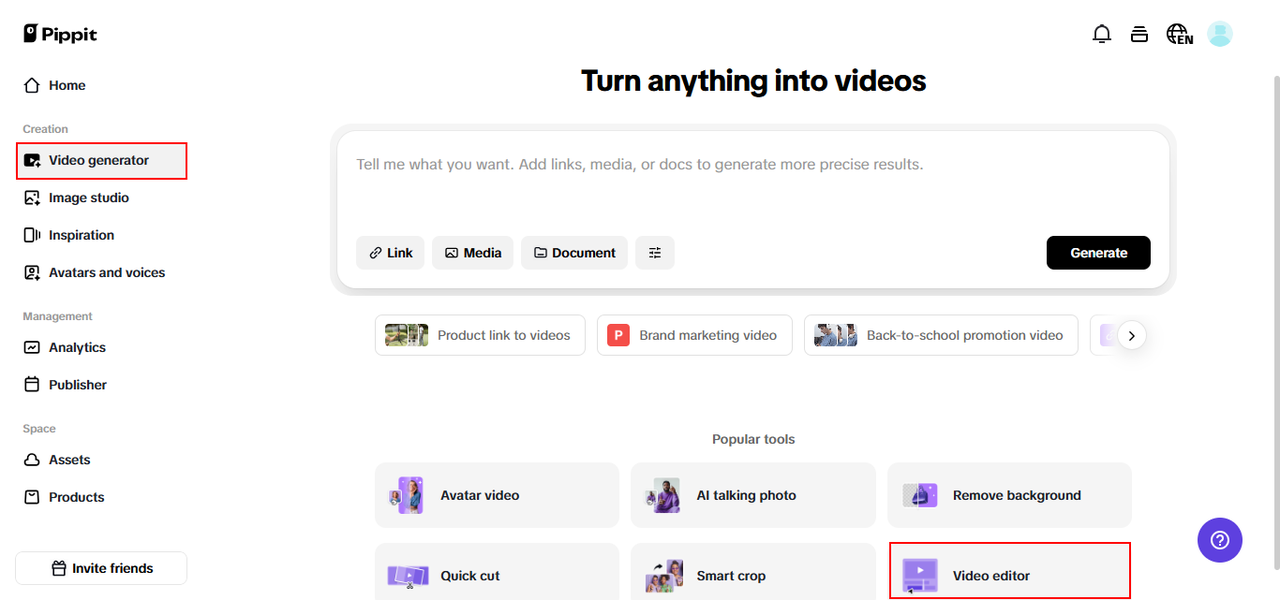
Practice for free by logging into Pippit. Go to the ‘Video generator’ option and paste your product link or click on ‘Add media’ to add text and media manually.
Pippit will fill in the product information automatically and generate scripts according to the product information from the given link, thus making it fast and efficient. You can also add customized details to personalize videos easily.
Step 2: choose settings & create video
Then, select ‘Settings’ to adjust your video settings. Under ‘Video settings,’ set the duration and aspect ratio to meet the demands of your platform. Choose your favorite language for the voiceover. Under ‘Script,’ you can either use the script created by the AI based on your product information or adjust it according to your desire.
For ‘Avatars,’ pick something from the available options or use your own to suit the tone of your video. Once done with all this, click on the ‘Generate’ button!
Step 3: preview, customize & export
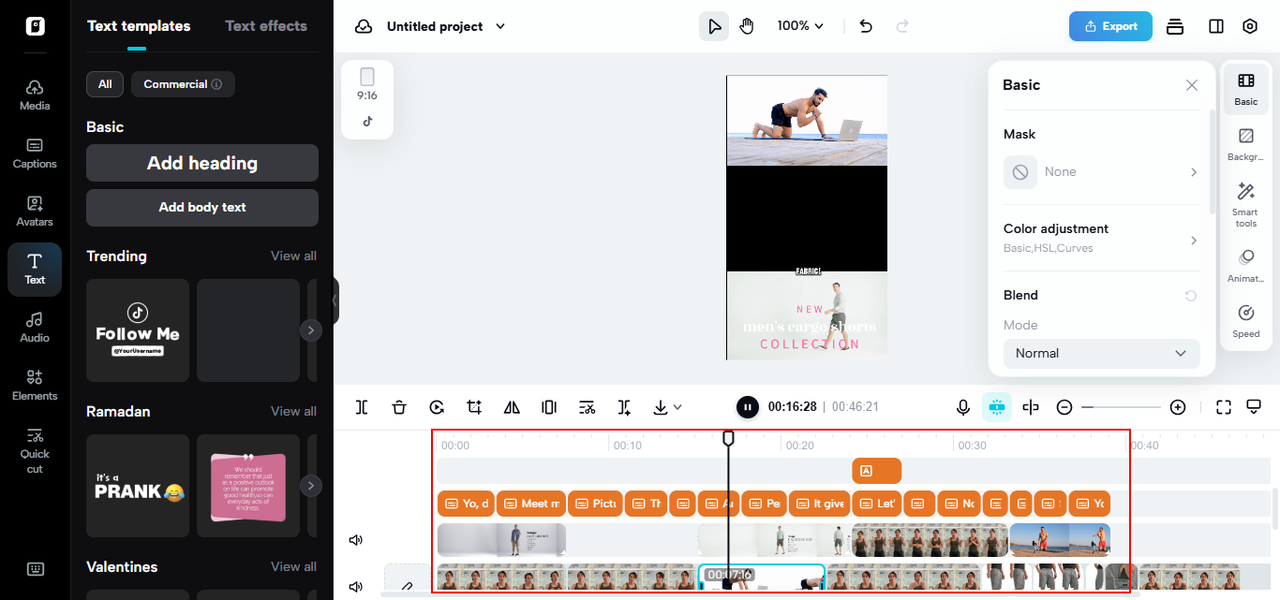
Preview the videos created for different product highlights and promotional material. If necessary, click on the ‘Quick edit’ below the created video to change the script, tweak the caption style, or even switch the avatar and voice.
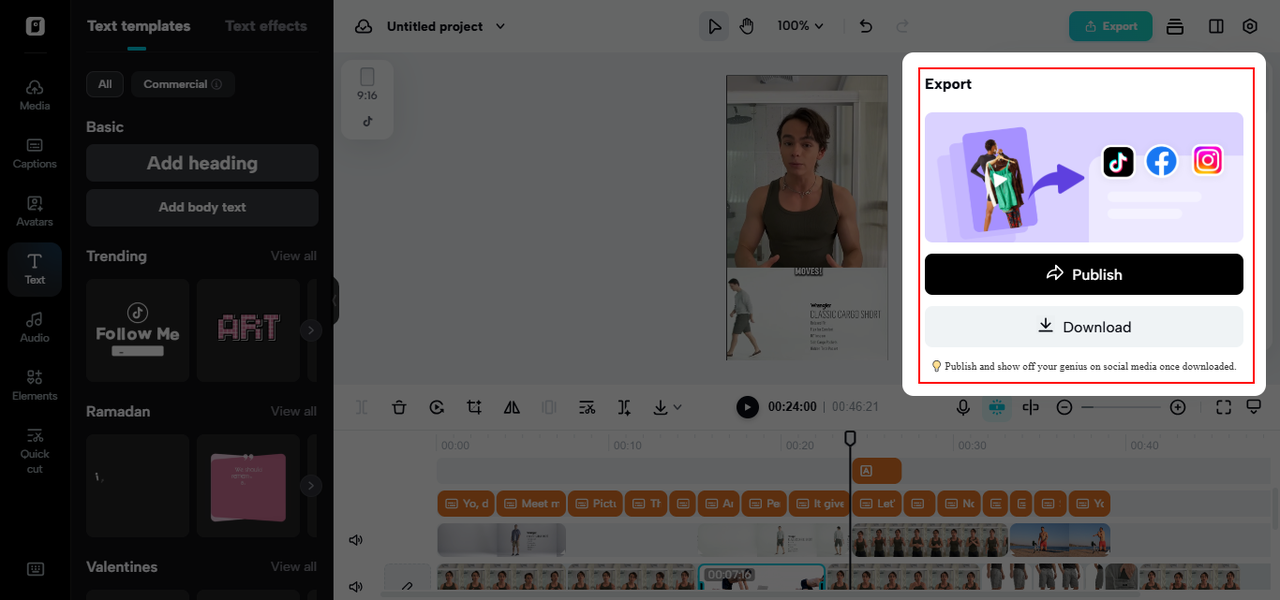
You can further choose ‘Change video style’ to obtain the ideal variation. Also, opt for ‘Edit more’ to edit the video exactly in a professional video editor. After you’re happy, tap ‘Export’ to download your video, ready to use in your campaigns or social media updates.
Let your lyrics hit harder with smart edits
Lyrics aren’t just words—they’re emotional hooks that stick in someone’s mind long after the video ends. But here’s the truth: even the most beautiful lines can get lost in a cluttered clip. That’s why creators who pair an AI lyric generator with a smart video trimmer are a step ahead.
Think of it this way: your lyrics are like precious gems buried in a block of stone. The trimming process chisels away everything unnecessary until only the sparkling lines remain. With Pippit, you can write or generate powerful verses in seconds, then trim your video around the moments where those words land hardest—an unexpected pause, a glance, or a single striking image.
Whether you’re sharing a spoken word snippet, an animated lyric reel, or a background poem over cinematic B-roll, each cut makes your lyrics clearer, stronger, and more memorable. So don’t just let your words float by—shape them into sharp, scroll-stopping lines that linger in your audience’s mind.
When you blend thoughtful lyric writing with Pippit’s precise trimming, you’re not just making a video—you’re crafting a verse people will want to play on repeat.
Small cuts, big wins
A good edit doesn’t truncate, it bolsters. With each cut, you eliminate distractions and create space for impact. You don’t merely retain viewers, you retain attention, and that attention translates to clicks, shares, and conversions.
Whether you’re editing a behind-the-scenes reel or building a 15-second product teaser, the tools you have to hand make all the difference. That’s where Pippit is here to help. From idea to finished, trimmed work of art, it provides creators with everything they require to command the attention economy. So what are you waiting for?
Sign up for free and begin trimming your path to increased engagement with Pippit today.
