

There is a high demand for word processors that are reliable and rich in features. This is the question many users ask themselves: Is there a free Word editor that actually works? The solution is in the WPS Office. WPS Office puts powerful tools at your fingertips without the high costs associated with Kingsoft.
Being a content creator, a student, or a professional, you can find everything to edit and manage documents effectively in this one-stop shop. When you want to download Word but you do not want to spend much money, you should try WPS Office.
Reason 1 – Free Forever, No Compromises
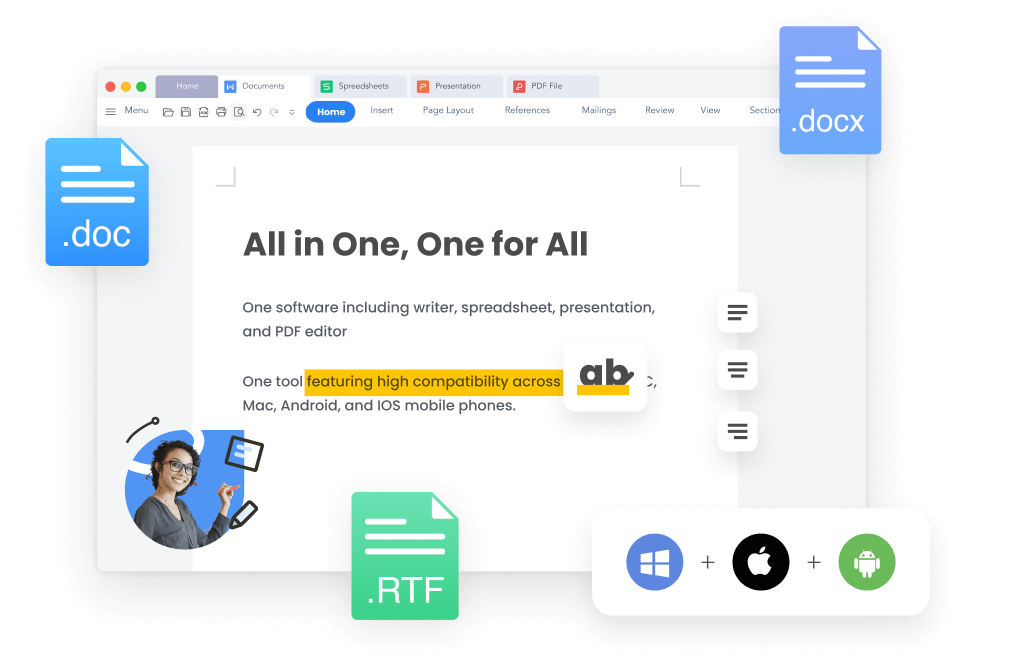
WPS Office provides you with the freedom to edit words and does not cost anything. There is no limit to opening, creating, editing and saving documents. This program does not have a paywall on premium features. Instead, it provides complete access to tools that are equivalent to Microsoft Word.
Export to Word or PDF; no formatting is lost. It is not a compulsory subscription. In the free version, everything is ready out of the box. The document editor, WPS Writer, allows sophisticated editing, styling, and formatting without any charge.
Reason 2 – Seamless Microsoft Word Compatibility
WPS Office reads and writes files of type .doc, .docx, .dot, .rtf and .txt and does so flawlessly. When converting to Microsoft Word, you do not have to worry about layout problems. Headers, fonts, styles and tables remain. WPS is fully compatible with Word 365 as well as older versions such as 2016 or 2010.
You are able to open the files of your colleagues and send them back without any formatting mishaps. That simplifies teamwork and makes it trustworthy.
Reason 3 – Cross-Platform Support and Sync
Access your documents anytime, from any device. WPS Office is compatible with Windows, macOS, Linux, Android, and iOS. You can sign in once and enjoy a unified experience across all platforms. This cross-platform functionality means that your work follows you.
Start editing a report on your laptop, make quick changes on your phone, and finalize it on your tablet. Everything stays synced. WPS offers this consistency without charging for multiple licenses or subscriptions.
Reason 4 – Built-In AI Tools for Better Writing
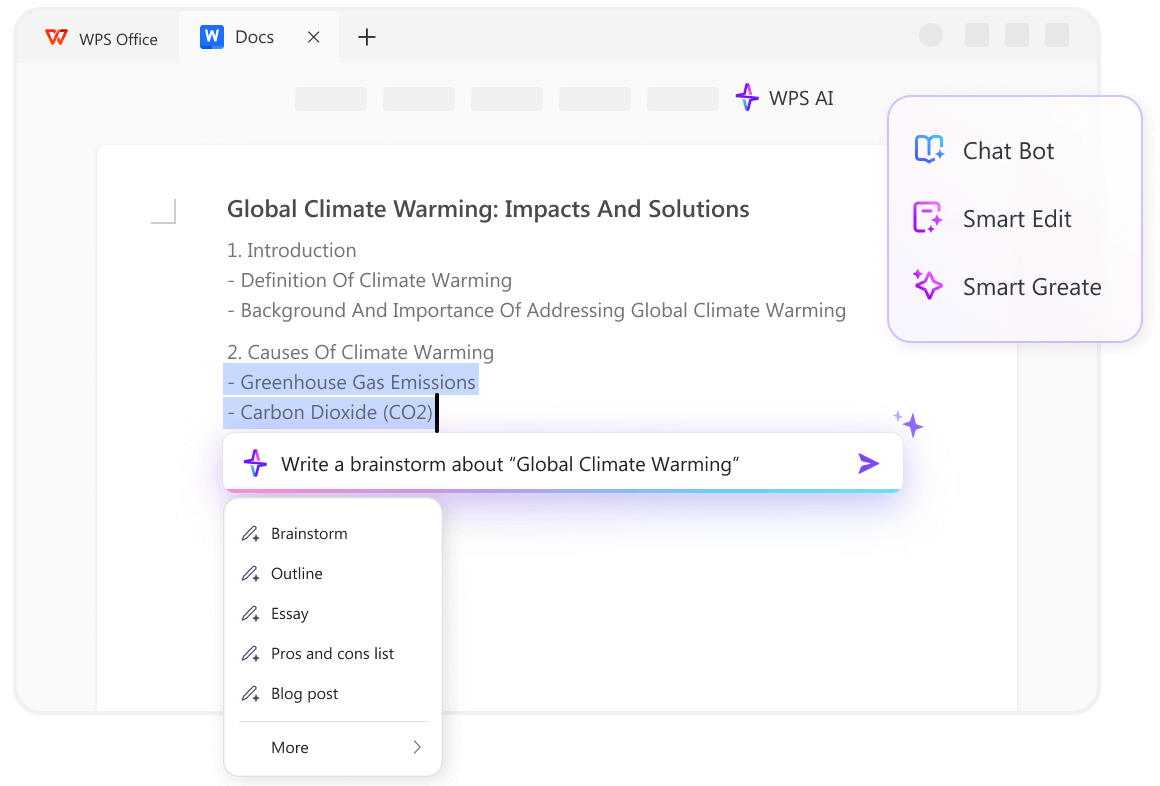
WPS Office has also added state-of-the-art AI functions such as Smart Edit, Smart Create, and Chat Bot to make you more productive. WPS AI will allow you to create brainstorms, outlines, essays, and other elements of your document.
Translate to another language, summarize and correct grammar in real time without switching apps. No matter what you write, you can focus, work quicker, and write clearly all in one place with WPS AI features.
Reason 5 – Free Templates and Stylish Text Tools
Creating professional documents is easier with WPS Office’s large library of templates. You can choose from resumes, letters, reports, and invitations—all available in .doc or .docx formats. These templates are free to customize, with no design experience needed.
You can also enhance your documents using over 1,000 stylish text colors and effects. Whether you want bold headlines or soft tones, WPS helps you make your document visually appealing.
Reason 6 – Cloud and Collaboration Power
WPS Office supports real-time collaboration. Share your document using a secure online link and let others edit or comment. It’s ideal for teams working remotely or students collaborating on group projects. You can view version history, see contributor names, and track changes.
These features ensure transparency and keep everyone accountable. You don’t need third-party apps to work with others. WPS makes collaboration part of the writing process.
Reason 7 – Utility Features That Go Beyond Writing
WPS Office does more than ordinary word editing. It is possible to convert Word documents to PDF in a moment. The layout, fonts and styles will be as you designed them. Have to OCR an image or scan? Take advantage of the OCR capability.
It is also possible to divide or combine several Word files within seconds. Did you lose something valuable? File recovery tools assist you in getting back your work.
No third-party apps are required. All you want is there in one place. You save time, energy and storage space. WPS makes you smart in your work and lets you manage documents with ease.
Reason 8 – Familiar Interface, No Learning Curve
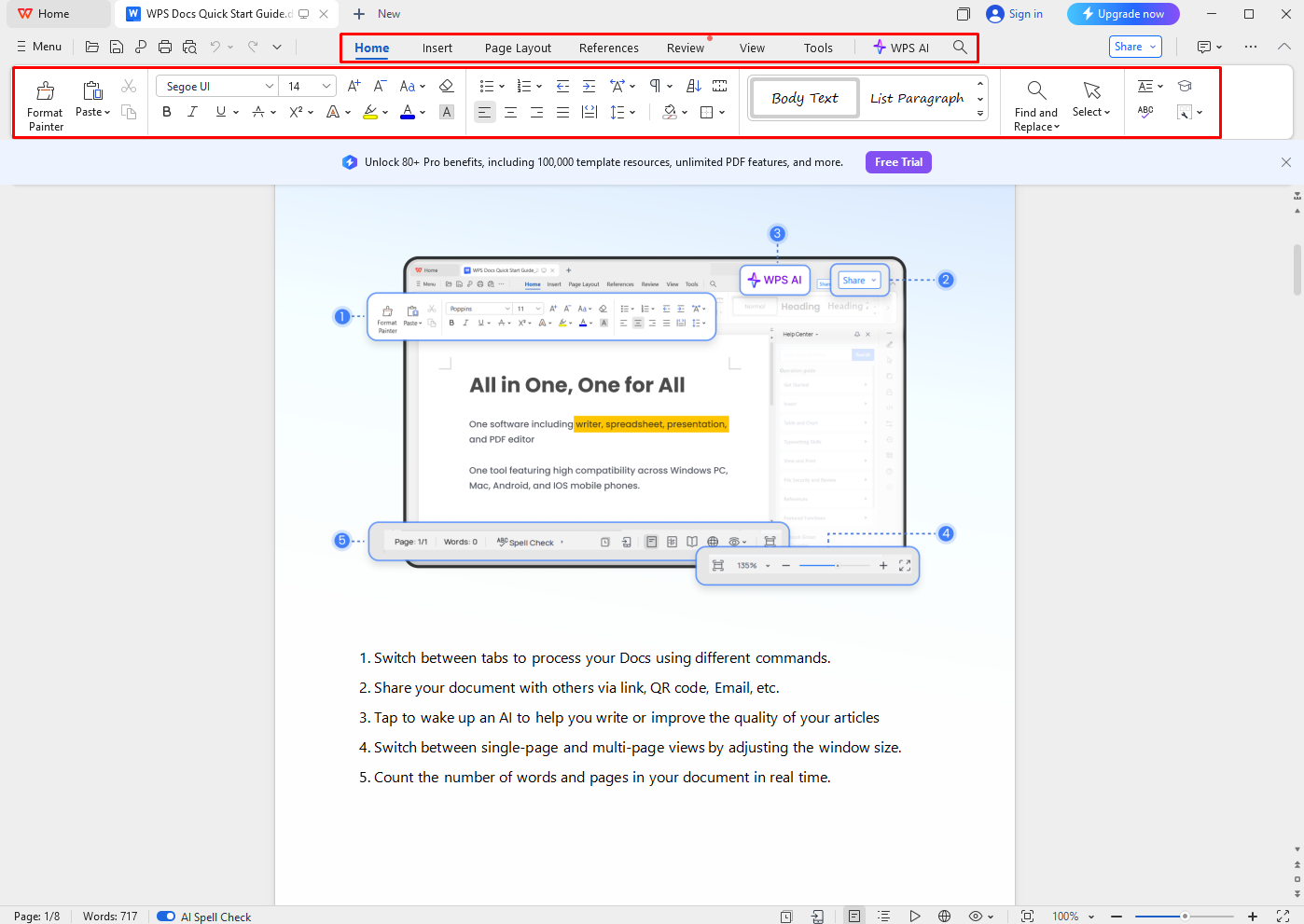
Switching from Microsoft Word to WPS is effortless. The interface mirrors Word’s ribbon layout, making it easy for you to adjust. Menu tabs, toolbars, and editing buttons feel familiar. If you’ve used Word before, WPS will feel intuitive from the start.
There’s no need for training or tutorials. Beginners find it simple. Experienced users find it efficient. WPS maintains comfort while offering powerful enhancements.
How to Edit Word Documents in WPS Office in 3 Simple Steps?
Step 1: Start WPS Office and Choose ‘Docs’
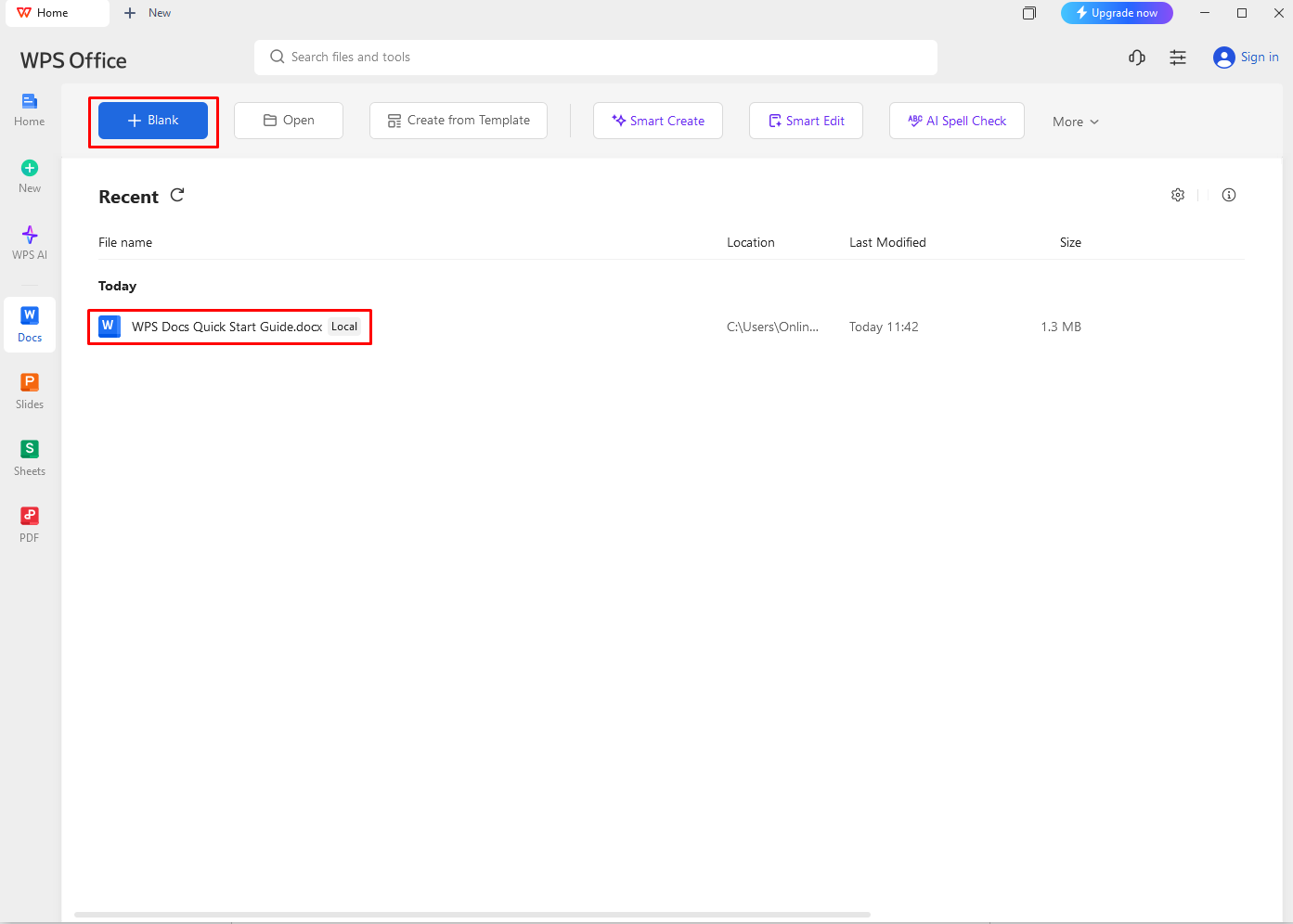
Open the WPS Office suite and tap on “Docs.” Select a blank template or start with one of the many pre-designed Word templates available.
Step 2: Import or Start a Word File
Use the “Open” feature to bring in any existing Word (.doc/.docx) document from your device, or begin writing your own document in the editor.
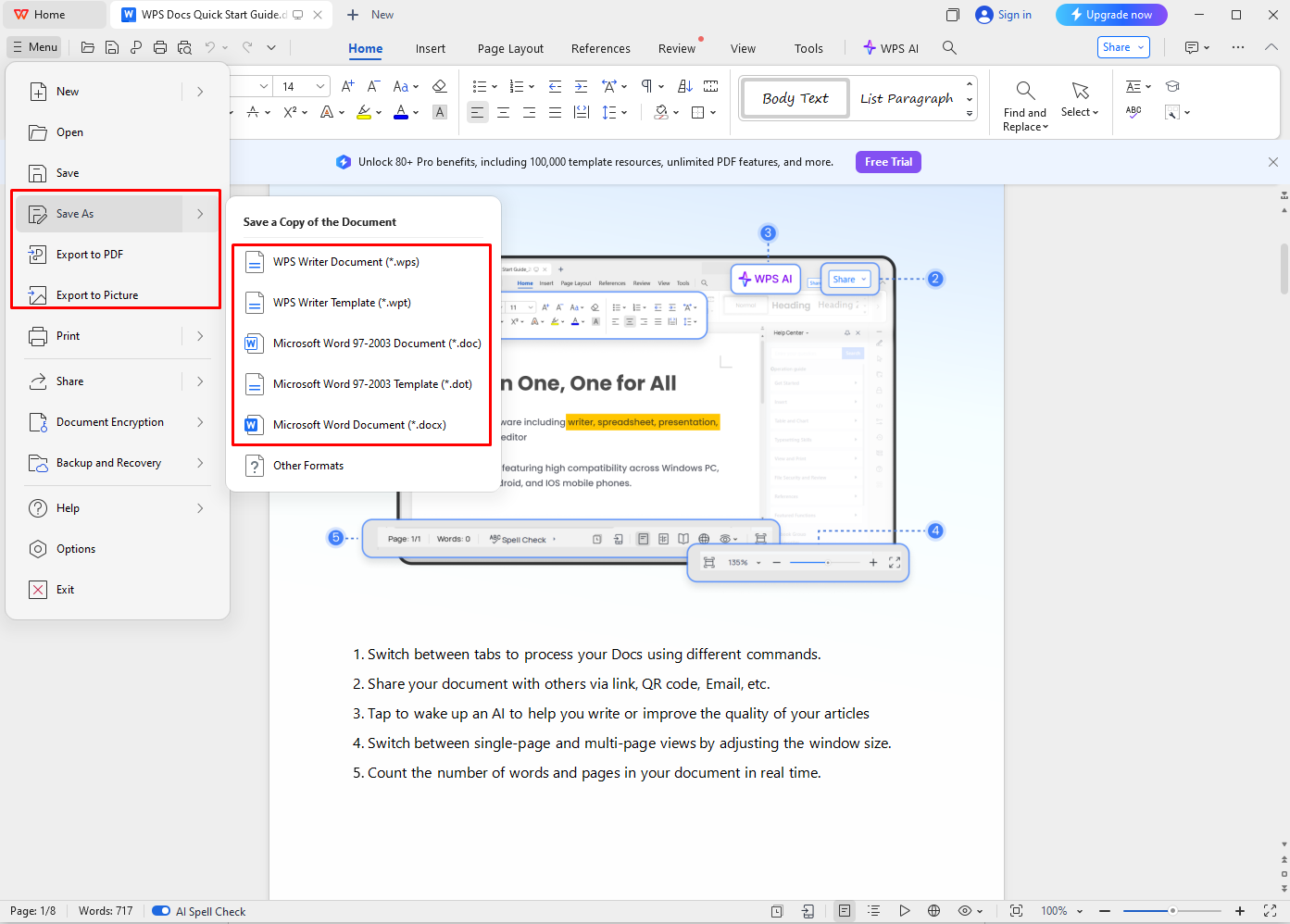
Step 3: Edit Seamlessly and Save with Options
Make changes using WPS’s intelligent editing tools. Save the final file in Word format or export it as a PDF—all done easily, no extra plugins required.
Conclusion
Choosing the right Word editor is crucial. WPS Office stands out for eight strong reasons. It’s free forever with no locked features. It offers seamless compatibility with Microsoft Word formats. It works on all major platforms, syncing your work effortlessly.
Built-in AI tools enhance your writing while templates and styles add professional flair. Cloud collaboration features make teamwork smooth. Additional tools like PDF conversion and OCR go beyond basic editing. Finally, the familiar interface means you can get started right away.
If you’re looking for a smarter, more flexible Word editor, WPS Office offers everything. Whether you’re working on assignments, reports, or creative writing, it delivers power and simplicity. Try WPS Office today as your trusted Microsoft Word download alternative. Experience productivity without limits.
